
TRANSACTION INSIGHTS AND DASHBOARD
Clearer transactions, data-driven insights, and a new dashboard give you more control over your finances.
Smart transactions, data-driven insights, and more
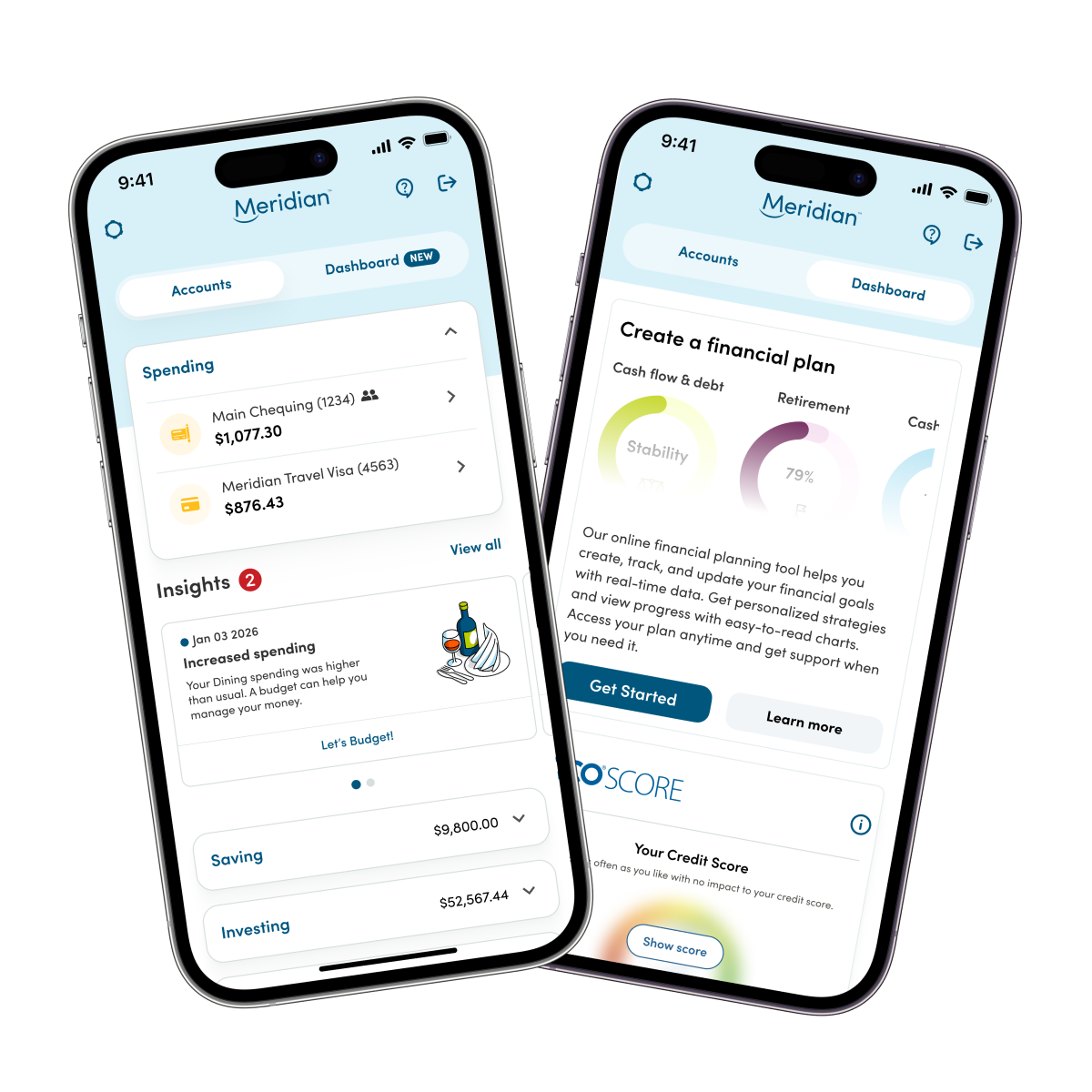
Our mobile app now includes more transaction details to help you make sense of your spending, set aside savings, and plan ahead. Explore features like:
- Expanded purchase details such as merchant locations, categories, and custom tags.
- Clear insights into recent activity, including unusual transactions.
-
Dashboard of your predicted monthly finances (including upcoming payments and bills), spending broken down by category, credit score, and more.
Spend smarter with detailed transactions
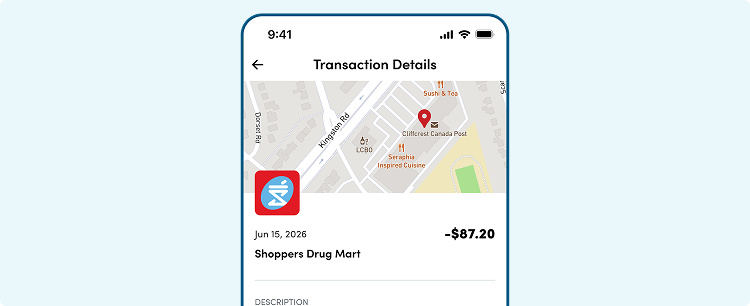
Select any transaction from your recent activity to see details beyond the date, merchant, and amount, including:
Exact location of the transaction.
Category and subcategory of the transaction, which you have the option to edit.
Custom tags, which can be helpful for recurring purchases that you want to keep track of, like “Monthly sushi splurge.”
Available info about the merchant – like the address, website, operating hours, etc.
Data-driven insights into your everyday finances
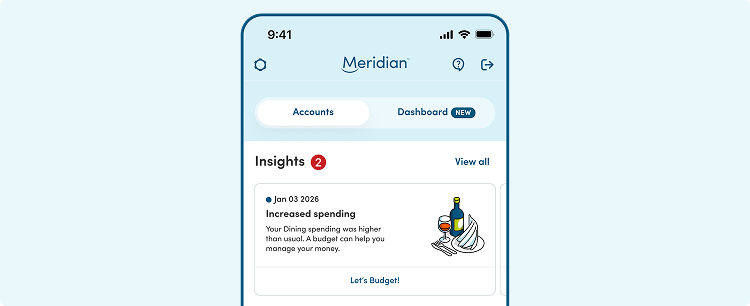
Our data-driven insights analyze your transaction history and provide personalized tips on your spending habits, upcoming payments, budgets, and more. You’re automatically alerted to any changes in your financial activity that would impact your everyday spending, budget, and savings goals.
The insights you see are unique to your transaction history and predicted activity. Here are some examples:
At-a-glance alerts and trends in your dashboard
Your dashboard provides an overview of your Meridian accounts, including your expected monthly income and expenses, financial activity broken down by category, budget progress, credit score, and more.
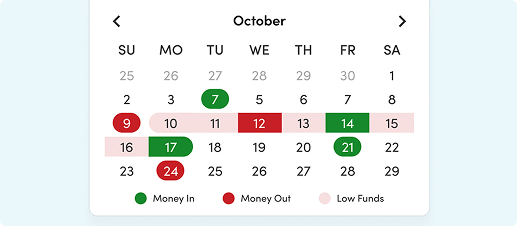
Calendar
Drawing from upcoming bills and your history of payments and deposits, your dashboard shows you when money is coming in and going out for the next month. Plus, it flags future dates when you may have low funds.
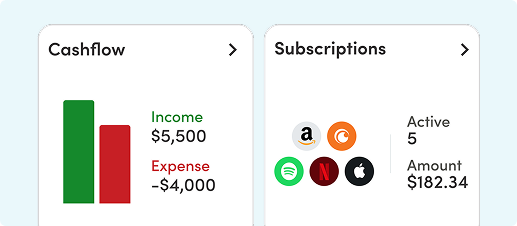
Cash Flow
The dashboard shows your recent income and expenses, broken down by month and category. You can filter activity based on accounts and expense types and use the data to adjust spending habits, budgets, and savings plans.
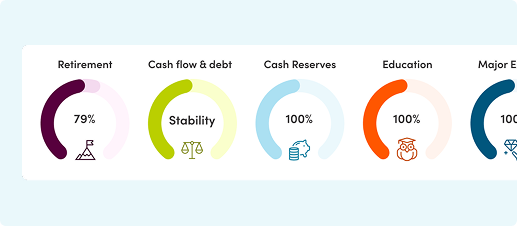
Financial plan
The dashboard tracks your progress towards goals you’ve set with Meridian’s Online Financial Planning Tool. This at-a-glance view helps you check in with your plan regularly. Don’t have a plan yet? Learn why you should set up a plan and how to get started.
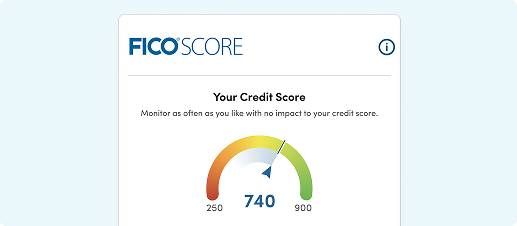
Credit Score
Keeping track of your credit score in the dashboard is free, easy, and has no impact on your score. It’s based on Equifax Canada data and updated quarterly. Learn more about the FICO® Score.
Frequently asked questions
All Members have access to smart transaction details in online banking. We plan to include insights and dashboard features later in 2026.
The details and insights the dashboard can analyze and display depends on how much activity there is in your accounts. If you just opened your first Meridian account or credit card it may take some time for there to be enough activity to support insights. Similarly, if you use a non-Meridian credit card for most of your spending, the dashboard won’t have access to that, so you may not see insights related to grocery spending, subscriptions, etc.
If you recognize a transaction, but some of the details for the merchant are incorrect, add a custom tag. This will help you identify the merchant for future transactions.
If you think the transaction is suspicious, report it. Learn about reporting fraud.
The goals widget displays your goal progress as a circle that represents how close you are to reaching 100% of your goal.
The Financial Plan tool allows you to hover over the goals trackers, and you’ll see two progress views drop down:
-
Current Progress: This reflects how close you are to reaching your goal based on how your money is currently allocated toward that goal, without making any changes.
-
Recommended Progress: This reflects how close you would be to reaching your goal after applying recommended strategies, such as suggested allocation or contribution changes.
These views help you understand where you are today and how small adjustments could improve your likelihood of reaching your goal
The goals widget on your dashboard displays your Current Progress – how close you are to reaching your goal based on how your money is currently allocated toward that goal, without making any changes.